A living audience of personas you can study.
The product is not a question box. It is an audience you staff once and run real study jobs on: comparable answers, memory that sticks when you choose, and interventions you can replay.
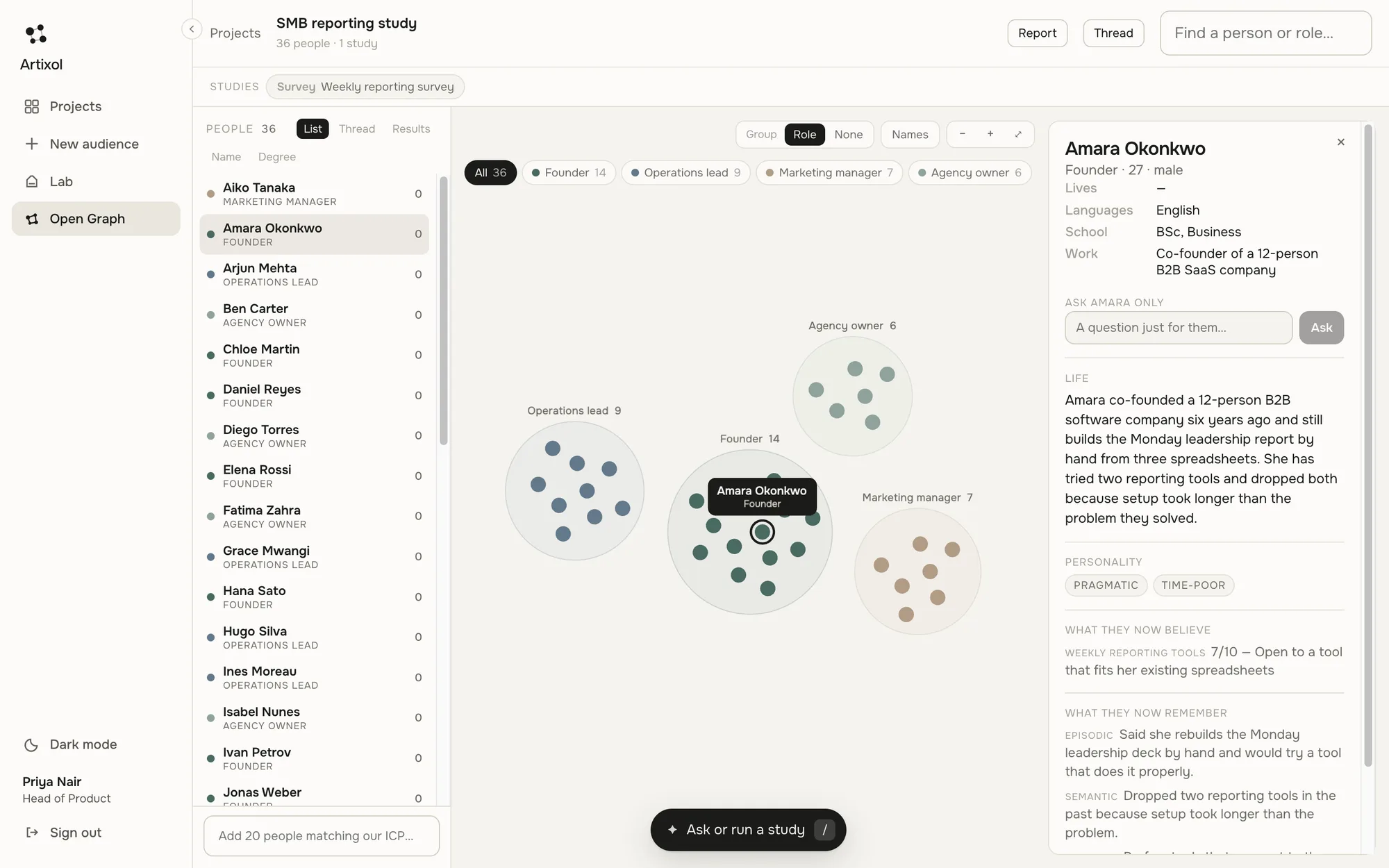
A real screen from the app, shown with sample data.
Persona, audience, memory.
A persona is one person: role, personality, background, languages, attitudes. An audience is the sample you staff from a brief, from 1 to 200 people. Memory is what each persona remembers from prior studies.
The graph is how you see the audience. Studies are how you use it.
What you will actually see.
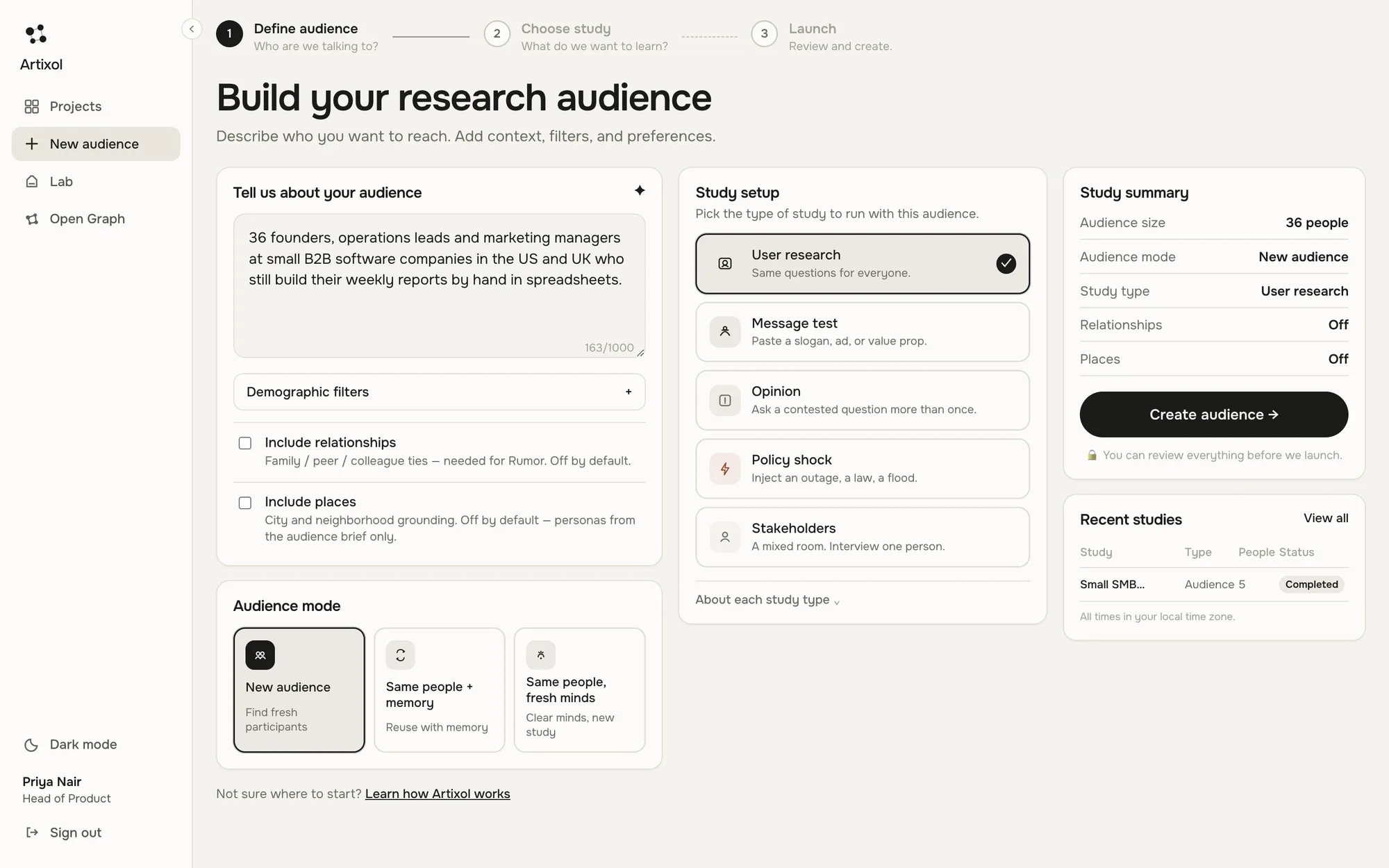
Describe the audience in a sentence.
Say who you want to reach. Headcount, roles and country are read from your words. Pick the kind of study, and decide whether relationships and places are needed.
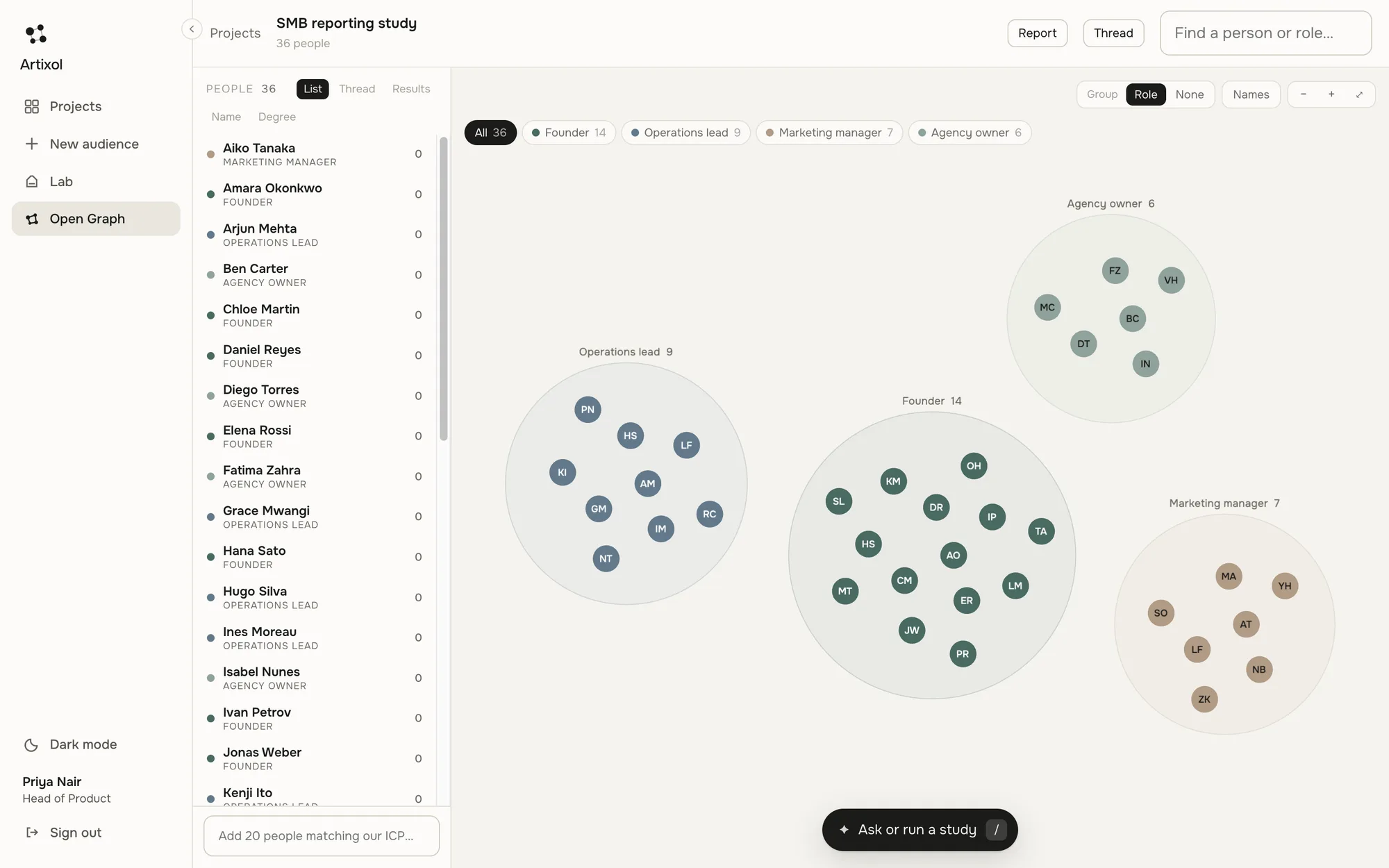
The graph is the audience, grouped how you choose.
Every dot is a person. Group by role (or by city when places are on), show names, and zoom in. Click anyone to open their card.
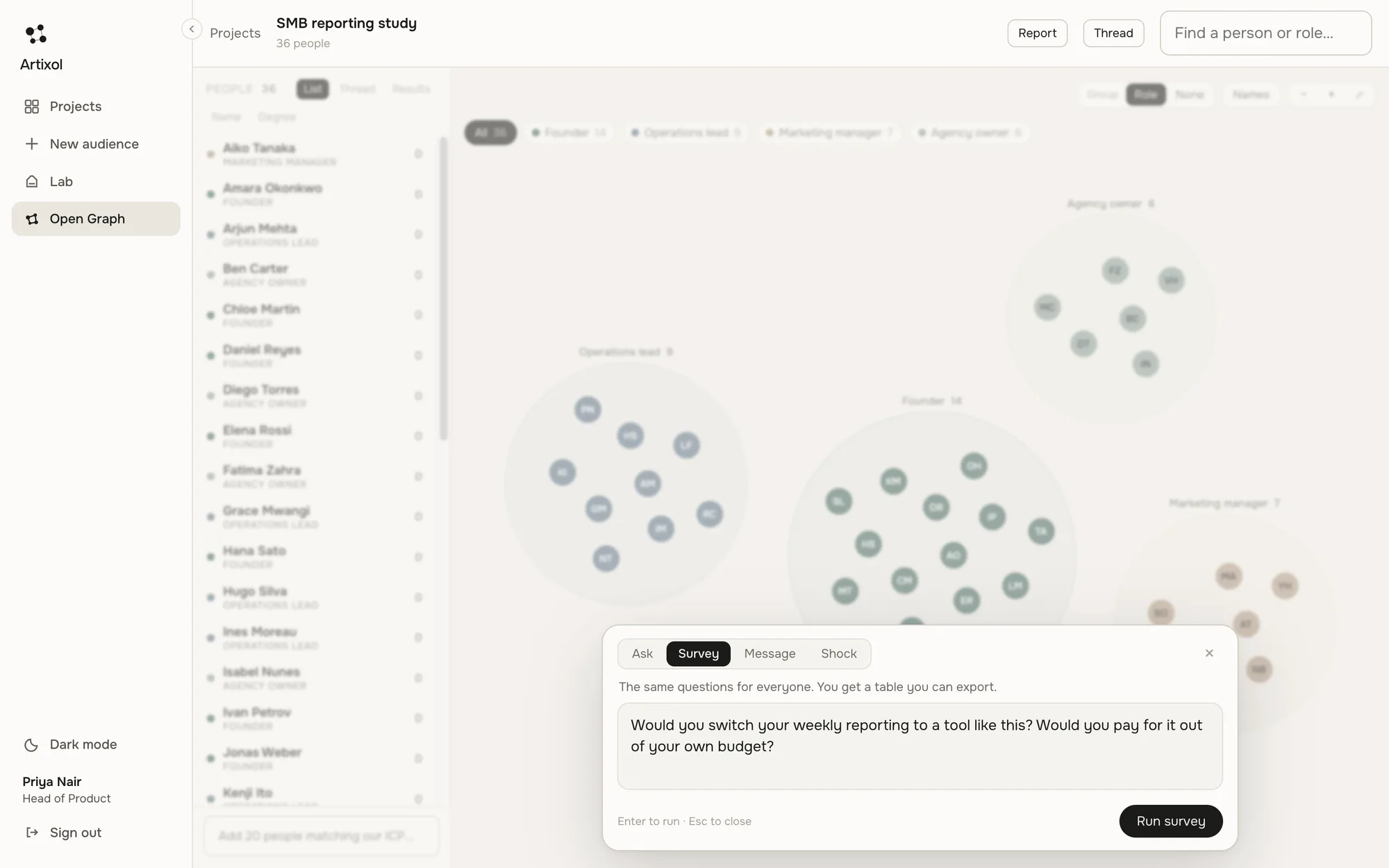
One box for a question or a full study.
Ask everyone a question, run a survey, test a message, inject a shock or start a rumor. Press / from anywhere in the workspace.
Counts you can tally, and reasons you can read.
Each answer is a fixed choice with a reason in the person's own voice. See the split, the finding, and export to CSV or PDF.
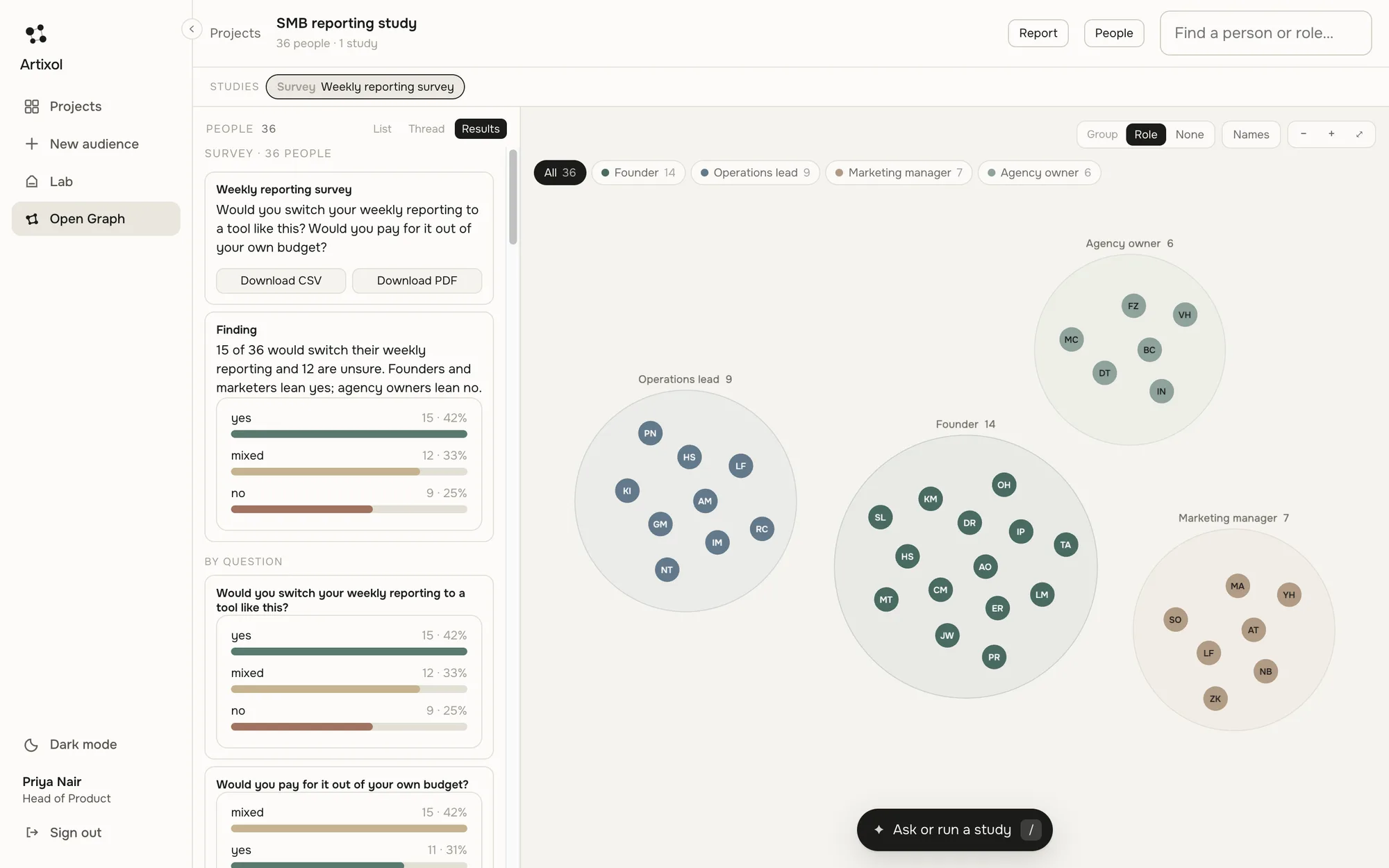
All screens show sample data. The people and numbers are examples, not results.
Choose what carries over.
Every new study starts with one decision: keep the memory, or clear it.
New audience
Fresh personas from your brief. Nothing carried over.
Same people + memory
Clone an audience and keep what each persona already believes.
Same people, fresh minds
Clone the same personas and clear study memory. Ideal for a fair A/B.
Places and relationships when you need them.
Places (off by default)
City and neighborhood grounding, local issues and name pools. Off unless you choose it: personas still get a country culture for names and speech.
Relationships (off by default)
Family, peer and colleague ties. Required for Rumor, which spreads only along people someone knows.
Deliberately not a chatbot farm.
Not a chatbot farm
Personas answer in structured formats you can tally, not endless chat.
Not a city map
Places are opt-in. The default experience is personas and memory.
Not retraining per person
Learning is memory and attitude, which keeps cost bounded and every belief inspectable.
Bring a question. We will staff the audience.
Tell us who you need to understand. We will build the audience and run a study with you.